
You’re spending thousands on Google Ads, social media, email campaigns, and SEO. Your conversions are up. But which channel actually drove those results? Without a clear answer, you’re making budget decisions based on guesswork — and that’s expensive.
Attribution modeling gives you that answer. It’s the framework that assigns credit to the marketing touchpoints along a customer’s journey, so you can see what’s working, what’s wasting money, and where to invest next. I’ve implemented attribution across 150+ GA4 properties, and I can tell you this: the companies that get attribution right consistently outspend their competitors more efficiently.
In this guide, you’ll learn how each attribution model works, how GA4 handles attribution natively, how to analyze conversion paths, and how to choose the right model for your business. Whether you’re a performance marketer optimizing ad spend or a CMO building a measurement strategy, this is the foundation you need.
What Is Attribution Modeling?
Attribution modeling is the set of rules that determines how credit for conversions gets distributed across marketing touchpoints. When someone converts — makes a purchase, submits a form, signs up for a trial — they’ve usually interacted with your brand multiple times before that moment.
Think about a typical B2B buyer. They might discover your brand through an organic search result, come back via a retargeting ad, read an email newsletter, and finally convert after clicking a branded search ad. Four touchpoints, one conversion. Attribution modeling decides which of those touchpoints gets credit — and how much.
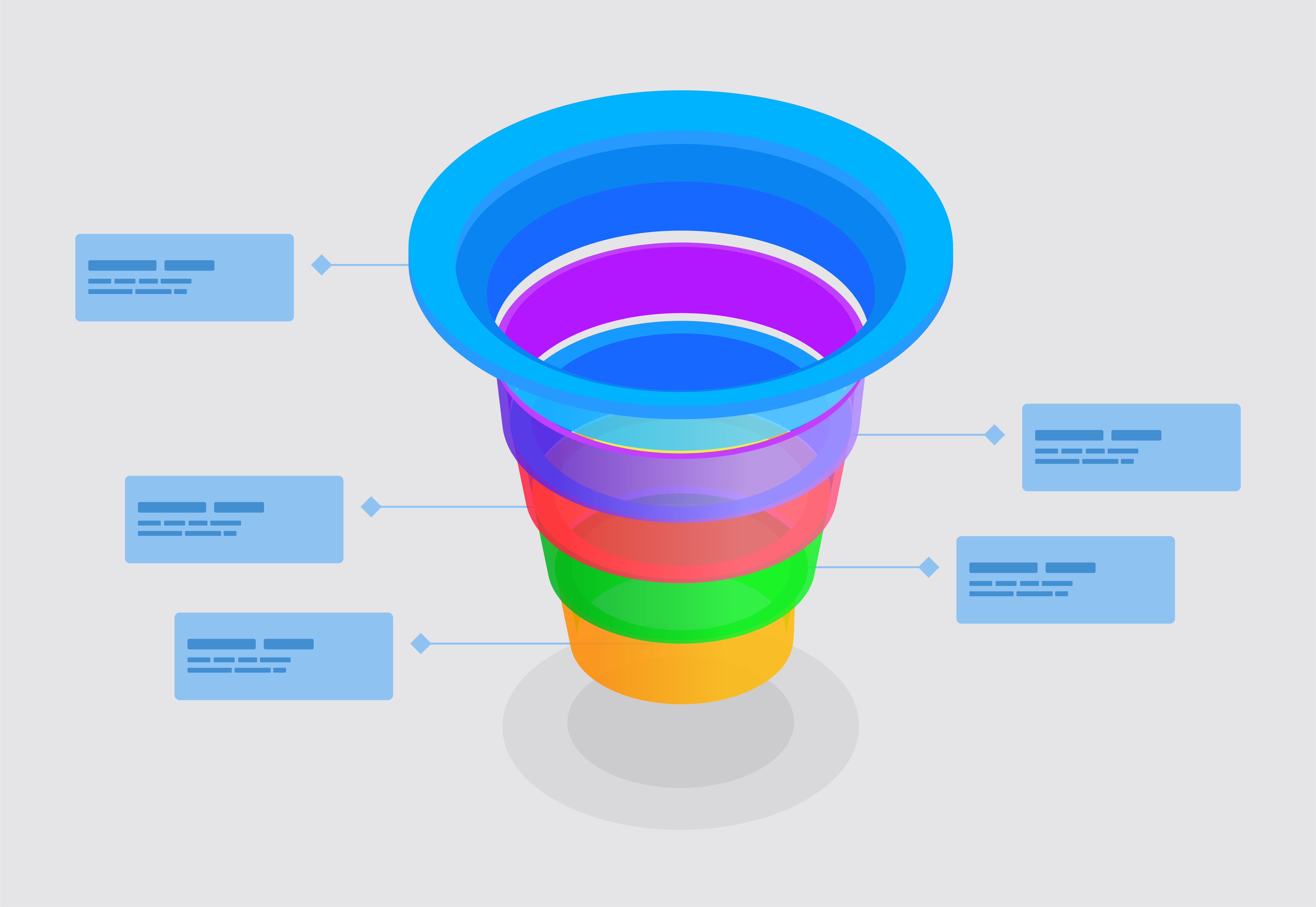
This matters because your marketing budget follows credit. If last-click attribution gives 100% credit to that final branded search ad, you might over-invest in branded search and under-invest in the organic content and retargeting that actually brought that customer to you in the first place.
The core challenge of attribution is simple to state and hard to solve: customers don’t follow linear paths. They bounce between channels, devices, and sessions — sometimes over weeks or months. Attribution models are our best attempt to make sense of that complexity.
Why Attribution Matters for Your Marketing Budget
Without attribution, you’re flying blind. Here’s what I consistently see when companies lack a solid attribution framework:
- Over-crediting bottom-funnel channels. Last-click attribution inflates the value of branded search, direct traffic, and retargeting — the channels that close deals but don’t generate demand.
- Under-funding awareness channels. Organic content, social media, display ads, and PR rarely get the last click. Without proper attribution, they look like they contribute nothing — even when they’re filling your funnel.
- Misleading ROI calculations. If you calculate ROAS based on last-click data, you’ll overvalue some campaigns and undervalue others. I’ve seen clients cut top-of-funnel spend based on last-click data, only to watch their pipeline dry up two months later.
- Inability to scale. You can’t scale what you can’t measure. Attribution tells you where incremental budget will have the most impact.
The stakes are real. A Google study found that marketers who use data-driven attribution see an average 6% increase in conversions at the same cost. That’s not a marginal improvement — at scale, it’s a significant competitive advantage.
Attribution also connects your tracking plan to actual business outcomes. You’re collecting all this event data — attribution is what makes it actionable for budget decisions.
Attribution Models Explained
There are six primary attribution models you’ll encounter. Each distributes credit differently across the touchpoints in a conversion path. Understanding the mechanics — and the tradeoffs — of each one is essential before you choose one for your business.

Last-Click Attribution
Gives 100% of the credit to the final touchpoint before conversion. This was the default in Universal Analytics and remains the most widely used model — largely because it’s the simplest. If a user clicked a Google Ad and then converted, the Google Ad gets all the credit, regardless of what happened before.
First-Click Attribution
The opposite approach — 100% credit goes to the first touchpoint that brought the user to your site. This model values demand generation and discovery channels. It answers the question: “What originally attracted this customer?”
Linear Attribution
Splits credit equally across every touchpoint. If there were four interactions before conversion, each gets 25%. It’s democratic but naive — it assumes every touchpoint contributed equally, which rarely reflects reality.
Time-Decay Attribution
Gives more credit to touchpoints closer in time to the conversion. The logic: interactions right before the purchase were more influential than those from weeks earlier. This model works well for short sales cycles and promotional campaigns.
Position-Based (U-Shaped) Attribution
Assigns 40% credit to the first touchpoint, 40% to the last, and distributes the remaining 20% across everything in between. It values both discovery and closing while still acknowledging the middle of the funnel. This was a popular choice in Universal Analytics for marketers who wanted a balanced view.
Data-Driven Attribution
Uses machine learning to analyze your actual conversion data and assign credit based on how each touchpoint influenced the probability of conversion. No predetermined rules — the algorithm determines credit distribution based on patterns in your data. This is now the default in GA4.
Here’s a comparison of all six models to help you evaluate the tradeoffs:
| Model | Credit Distribution | Best For | Limitations |
|---|---|---|---|
| Last-Click | 100% to final touchpoint | Direct response campaigns, short sales cycles | Ignores all upper-funnel activity |
| First-Click | 100% to first touchpoint | Brand awareness measurement, demand gen | Ignores nurturing and closing efforts |
| Linear | Equal split across all | Long, complex journeys with many touchpoints | Assumes all touches are equal |
| Time-Decay | More credit to recent touches | Short sales cycles, promo campaigns | Undervalues early discovery |
| Position-Based | 40/20/40 first-middle-last | Balanced measurement, B2B funnels | Arbitrary 40/40 split may not fit |
| Data-Driven | Algorithm-determined | Accounts with sufficient conversion volume | Requires enough data; black-box logic |
How GA4 Handles Attribution
Google Analytics 4 made a major shift in how attribution works compared to Universal Analytics. If you’re still thinking in UA terms, you need to update your mental model.

Data-Driven Is the Default
GA4 uses data-driven attribution by default for all properties. Unlike the rule-based models that use fixed formulas, data-driven attribution analyzes your specific conversion data using machine learning. It looks at conversion paths, compares them to paths that didn’t convert, and calculates each channel’s actual contribution.
This is a significant improvement over the old default of last-click. But it comes with a caveat: you need enough conversion data for the algorithm to work well. Google doesn’t publish exact thresholds, but from my experience, properties with fewer than 300 conversions per month may see less reliable data-driven results.
Attribution Settings in GA4
You’ll find attribution configuration under Admin → Attribution Settings. There are two key settings:
- Reporting attribution model: This controls how credit is assigned in your standard GA4 reports. You can choose between data-driven (recommended) or last-click. Google removed the other models (first-click, linear, time-decay, position-based) from GA4 in late 2023.
- Lookback window: This defines how far back GA4 looks when assigning credit. You can set different windows for acquisition events (first user touchpoint) and all other events. Options are 30, 60, or 90 days for most events, and 7 or 30 days for acquisition specifically.
The lookback window matters more than most people realize. If your sales cycle is 60 days and your lookback window is set to 30, you’re cutting off the touchpoints that started the customer journey. Match your lookback window to your typical conversion timeline.
Key Reports for Attribution in GA4
GA4 provides several reports for attribution analysis. The most important ones:
- Advertising → Attribution paths: Shows the touchpoint sequences that lead to conversions. You can see which channels appear at which stage of the journey.
- Advertising → Model comparison: Compare how different models assign credit. This is invaluable for understanding how your view of channel performance shifts under different models.
- Traffic acquisition report: Shows session-level attribution — which channels drove visits.
- User acquisition report: Shows first-touch attribution — which channels originally acquired users.
To get meaningful data in these reports, you need proper event tracking and well-configured conversion events. Attribution can only credit what your tracking captures.
Understanding Conversion Paths
Attribution models assign credit, but conversion paths show you the full story. Understanding how customers actually move through your marketing channels is where the real insights live.

Multi-Touch Journeys
Most conversions don’t happen in a single session. Google’s own data shows that the average conversion involves multiple touchpoints, and complex purchases can involve dozens. The higher the price point or commitment, the more touchpoints you should expect.
A typical multi-touch journey might look like this:
- Organic search → reads a blog post (awareness)
- Social media retargeting ad → visits product page (consideration)
- Email newsletter → reads case study (evaluation)
- Branded search → converts (decision)
Each touchpoint plays a different role. If you only measure the last one, you miss the channels that generated the demand in the first place.
Assisted Conversions
Assisted conversions measure how often a channel appears in the conversion path but doesn’t get last-click credit. This metric reveals the hidden work your channels are doing. A channel with a high assisted-to-direct conversion ratio is a strong “assist player” — it contributes heavily to conversions even though it rarely closes the deal.
In my experience, organic search and content marketing almost always have high assist ratios. They bring people in, educate them, and build trust — then paid search or direct gets the final click. Without assisted conversion analysis, you’d never see this.
Path Analysis in GA4
GA4’s Explore section offers a Path exploration report that lets you map out user journeys. You can start from a specific event (like a page view of your pricing page) and see what users did before and after. Combined with the Attribution paths report in the Advertising section, you get a comprehensive view of how people move through your marketing ecosystem before converting.
For a deeper dive into analyzing what drives your conversions, check out our conversion analysis guide.
Choosing the Right Attribution Model for Your Business
There’s no universally “best” attribution model. The right choice depends on your business type, sales cycle, marketing mix, and data maturity. Here’s a practical decision framework:
E-Commerce (Short Sales Cycle)
If you sell products with a purchase decision measured in minutes or days, data-driven attribution is your best bet. You likely have enough conversion volume for the algorithm to work, and the short path lengths mean even simpler models give reasonable results. Time-decay is a solid fallback if you don’t have enough data for data-driven. For tracking your e-commerce conversions properly, see our e-commerce tracking guide.
B2B / High-Consideration Products
Long sales cycles (30-90+ days) with multiple stakeholders make attribution harder. Position-based attribution was historically popular here because it values both the first touch (lead generation) and the last touch (deal closing). Since GA4 removed position-based, use data-driven with a 90-day lookback window. Supplement GA4 data with CRM attribution for a fuller picture.
Content-Heavy / Brand-Building
If your strategy relies heavily on content marketing, SEO, and brand awareness, last-click attribution will chronically undervalue your efforts. Data-driven attribution with extended lookback windows gives a fairer picture. Pay close attention to assisted conversions — they’ll reveal the true impact of your content.
Small Businesses / Low Traffic
If you have fewer than 100 conversions per month, data-driven attribution may not have enough data to be reliable. In this case, last-click is a reasonable starting point — it’s simple, and with low volume you’re likely dealing with shorter, simpler paths anyway. As your traffic grows, transition to data-driven.
Setting Up Attribution in GA4 — Step by Step
Here’s how to configure attribution settings in your GA4 property. You need Editor or Administrator access to make these changes.
- Open your GA4 property and navigate to Admin (gear icon in the bottom left).
- Under Data Display, click Attribution Settings.
- Choose your reporting attribution model. Data-driven is recommended for most properties. Select “Last click” only if you have a specific reason (very low conversion volume or a team that needs simplicity).
- Set your lookback windows. For acquisition conversion events: 30 days works for most businesses. For all other conversion events: match your typical sales cycle. Use 60 or 90 days for B2B, 30 days for e-commerce.
- Save your changes. Attribution model changes apply to data going forward and also retroactively reprocess historical data in reports.
- Verify your conversion events. Go to Admin → Events and confirm that your key conversion events are marked. Attribution can only credit what you’re measuring.
- Review attribution reports. After a few weeks, check Advertising → Attribution paths and Model comparison to see how your channels are being credited.
Tip: Before changing attribution models on an active property, document your current performance metrics. After switching, you’ll want to compare the before and after to understand how the new model shifts credit across your channels.
Attribution Without Cookies — The Privacy Challenge
Traditional attribution relies on cookies to track users across sessions and touchpoints. With third-party cookies disappearing and privacy regulations tightening, this foundation is crumbling. Here’s what you need to know.
The Cookie Problem
Safari and Firefox already block third-party cookies by default. Google Chrome has been restricting them and pushing the Privacy Sandbox as an alternative. Regulations like GDPR and CCPA require explicit consent for tracking, which means a growing percentage of users opt out entirely.
The result: attribution data is becoming less complete. You’re seeing more “direct” traffic (which often means “we don’t know where they came from”), shorter trackable paths, and gaps in your conversion journey data.
Strategies That Work in a Cookieless World
- First-party data strategy. Collect data directly from your users through logins, email subscriptions, and CRM integrations. First-party data isn’t affected by cookie restrictions.
- Server-side tracking. Move tracking from the browser to the server to avoid client-side cookie limitations. GA4 supports server-side tagging through Google Tag Manager.
- Consent mode. Google’s Consent Mode lets GA4 model conversion data for users who decline cookies, filling some of the gaps with statistical modeling.
- Marketing mix modeling (MMM). A statistical approach that analyzes aggregate data (spending, revenue, external factors) to determine channel effectiveness without user-level tracking. This is gaining traction as a complement to attribution.
- Incrementality testing. Run controlled experiments (holdout tests, geo tests) to measure the true incremental impact of each channel. This is the gold standard for causal measurement.
The future of attribution is likely a hybrid approach: digital attribution for consented users, supplemented by MMM and incrementality testing for the full picture.
Common Attribution Mistakes
After working with dozens of companies on attribution, I see the same mistakes repeatedly. Avoid these to get more value from your attribution data.

1. Treating Attribution as Absolute Truth
Every attribution model is a simplification. None of them perfectly capture how marketing influences purchase decisions. Use attribution as a directional guide, not an exact measurement. Compare multiple models and look for consistent patterns rather than relying on any single view.
2. Wrong Lookback Window
A 7-day lookback window for a B2B product with a 90-day sales cycle means you’re ignoring most of the customer journey. Conversely, a 90-day window for impulse e-commerce purchases adds noise. Match the window to your actual buying cycle.
3. Ignoring Offline Touchpoints
If your marketing includes events, phone calls, direct mail, or in-store visits, your digital attribution is only showing part of the picture. Integrate offline data where possible, or at least acknowledge the gaps when making decisions.
4. Making Drastic Budget Cuts Based on a Single Model
I’ve watched a client cut their entire organic content budget because last-click showed low direct conversions. Within three months, their paid search performance dropped because there was no top-of-funnel content feeding the pipeline. Test budget changes incrementally.
5. Not Tracking All Conversion Types
If you only track final purchases, you miss attribution insights for micro-conversions — newsletter signups, product page views, demo requests. These earlier conversions reveal which channels drive engagement, even if they don’t get the final purchase credit. Make sure your event tracking captures the full funnel.
FAQ
What is the best attribution model for most businesses?
Data-driven attribution is the best starting point for most businesses. It uses your actual conversion data to assign credit rather than relying on arbitrary rules. GA4 uses it as the default, and it works well as long as you have at least a few hundred conversions per month. For very low-traffic sites, last-click is a reasonable fallback.
Why did Google remove attribution models from GA4?
In late 2023, Google removed first-click, linear, time-decay, and position-based models from GA4, leaving only data-driven and last-click. Google’s reasoning was that data-driven attribution provides more accurate results by analyzing actual user behavior rather than applying fixed rules. The removed models can still be approximated using BigQuery exports.
How long should my attribution lookback window be?
Your lookback window should match your typical sales cycle. E-commerce businesses with quick purchase decisions should use 30 days. B2B companies or high-consideration products should use 60-90 days. Check your actual time-to-conversion data in GA4 to find your optimal window.
Can I use attribution without Google Analytics?
Yes. Several analytics platforms offer attribution modeling, including Adobe Analytics, Mixpanel, and dedicated attribution tools like AppsFlyer and Adjust (primarily for mobile). You can also build custom attribution models using raw clickstream data in a data warehouse. However, GA4 is the most accessible option for most marketing teams.
How does attribution work with cross-device tracking?
Cross-device attribution requires identifying the same user across devices, typically through logged-in states or Google Signals in GA4. When a user searches on mobile and converts on desktop, cross-device tracking connects those touchpoints into one path. Without it, the desktop conversion appears as a separate “direct” visit with no prior history.
What to Do Next
Attribution modeling isn’t a set-it-and-forget-it exercise. It’s an ongoing practice that evolves with your marketing strategy, your data maturity, and the broader privacy landscape. Here’s where to start:
- Audit your current setup. Check your GA4 attribution settings, lookback windows, and conversion events. Make sure you’re capturing the full customer journey.
- Compare models. Use GA4’s model comparison report to see how data-driven and last-click differ for your channels. Big discrepancies reveal where your current view might be misleading you.
- Analyze conversion paths. Look at your actual customer journeys. How many touchpoints do they involve? Which channels appear early vs. late? This context makes attribution data meaningful.
- Start small. Don’t overhaul your budget overnight based on new attribution data. Shift spend incrementally and measure the impact over 4-8 weeks before making larger changes.
Attribution is the bridge between tracking data and smart budget decisions. Get it right, and every marketing dollar works harder. Get it wrong, and you’re optimizing toward a distorted view of reality. The tools are accessible, the data is there — now it’s about building the discipline to use them.

About the Author
Tom Bradley
Marketing analyst with 8+ years in web analytics. I’ve completed 150+ GA4 implementations and helped 50+ brands turn data into growth strategies. Every guide on Viewing comes from real projects and real problems I’ve solved.